Bring related work together.
Review suggested groups and the reason behind each one. Change the name, select the tabs, and make it yours.
 Tabosmart.
FOR YOUR MANY OPEN POSSIBILITIES
You didn’t open all those tabs for no reason. Bring related work together. Give the rest a place for later.
Chrome extension · Local processing · You approve every action
For the things you’re doing.
And the things you might.
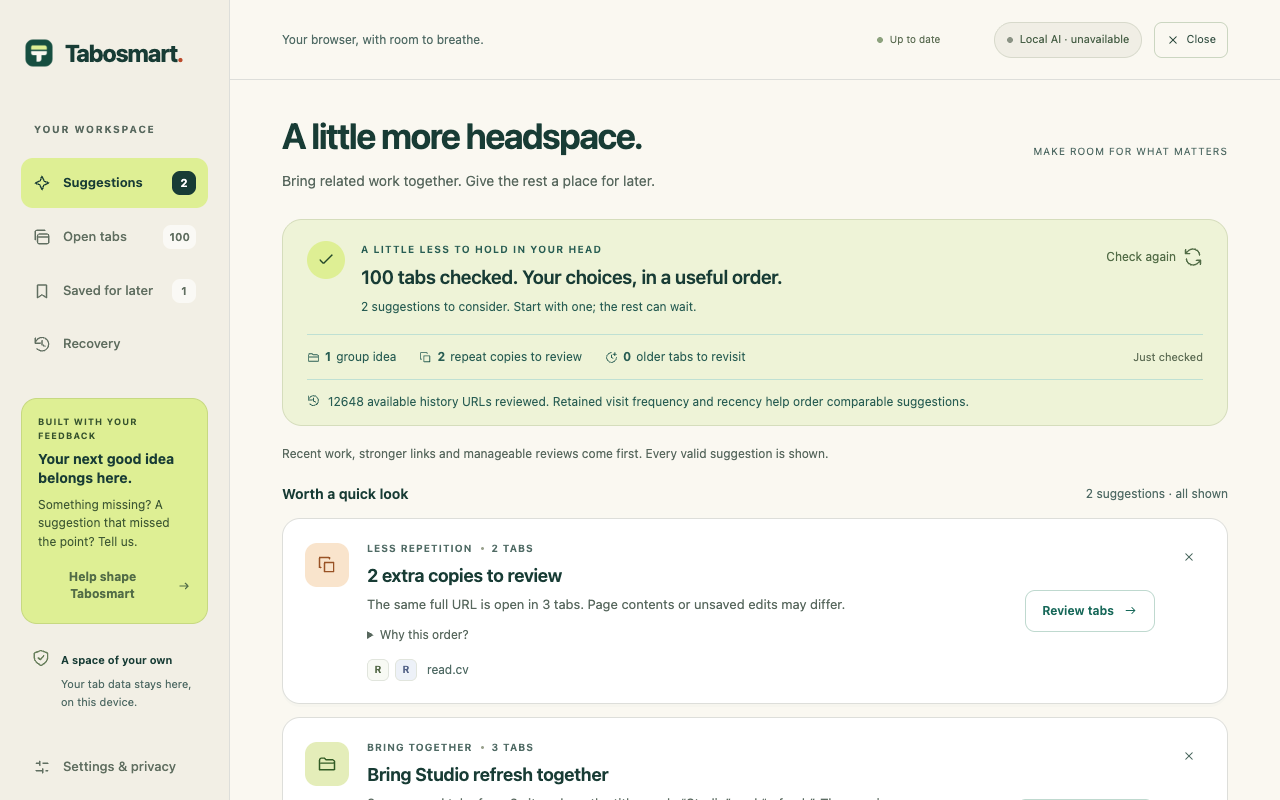
A LIGHTER BROWSER, ONE CHOICE AT A TIME
Review suggested groups and the reason behind each one. Change the name, select the tabs, and make it yours.
Spot repeated URLs. Check what’s inside before closing selected copies. The same address can hold different unsaved work.
Save URLs on a local shelf. Reopen them when the moment is right. Saving leaves the original tabs open until you choose to close them.
AN OPTIONAL EXTRA PAIR OF EYES
On supported Chrome devices, local AI can propose more connections between tabs, useful group names and clearer wording. The core works without it.
Model input is processed on your device, with no cloud fallback. Chrome may need an initial model download. Availability depends on your browser, device and language.
Tabosmart analyzes open-tab metadata, activity and available browsing history locally. It does not read page content or upload your browsing records.
What local AI does and doesn’t do ↗THE INTENTION, IN HALF A MINUTE
A short introduction from the maker of Tabosmart.
Actual interface with example browsing data. Synthetic narration using the creator’s own voice reference.
You didn't open all those tabs for no reason. You just don't need them all right now. Bring related work together. Review repeat pages. Save links for later. Close only what you choose. Recovery reopens URLs, not unsaved edits. Your browsing data stays on your device. Optional local AI adds suggestions and group names on supported Chrome devices. The core works without it. I'm building this with the people using it. Tell me what missed the point, or what would make it useful tomorrow. Less tab clutter. More headspace.
SMALL TOOL. OPEN CONVERSATION.
Tabosmart is early. Tell us what felt useful, what missed the point, and what would make you use it tomorrow.
Share your experience ↗
Or scan to share
a thought from your phone.
A LITTLE LESS TO FIGURE OUT
A practical way to group related work, review repeat pages and save the links you are not using right now.
Read the guide ↗Review repeated URLs without assuming their contents are identical. Keep control over which Chrome tabs close.
Read the guide ↗Choose between an open tab group, Chrome bookmarks and Tabosmart’s local shelf. Understand what saving a URL preserves.
Read the guide ↗What optional on-device AI does, what stays local, why a model download may be needed and how tab suggestions work without AI.
Read the guide ↗Tabosmart is a Chrome extension that suggests related tab groups, helps review repeated URLs and older work, and stores saved or recoverable URLs locally. You choose what to group, save or close.
No. Nothing moves or closes without your approval. Pinned, audio-playing and protected tabs are excluded from suggestions.
No. Initial suggestions and measured explanations work without AI. Optional assistance is enabled by default for fresh workspaces, but you can switch it off. A required model download starts only through explicit setup.
Tabosmart does not upload browsing records. It processes available history locally, storing hashed URL identifiers and aggregate visit evidence. Its normal tab views, saved links and Recovery need exact URLs in local storage. Hashes are not anonymous or encrypted.
No. Recovery reopens stored URLs. It cannot restore unsaved edits, form inputs, page state or login sessions. Check important work before closing a page.
Use the Help shape Tabosmart link in the extension, or visit our Featurebase portal. Share what you tried, what you expected and what happened. No browsing data is attached automatically. Public posts should not contain private information.
The Chrome Web Store submission is being prepared. You can explore the product and help shape it through the feedback portal while the launch is being completed.